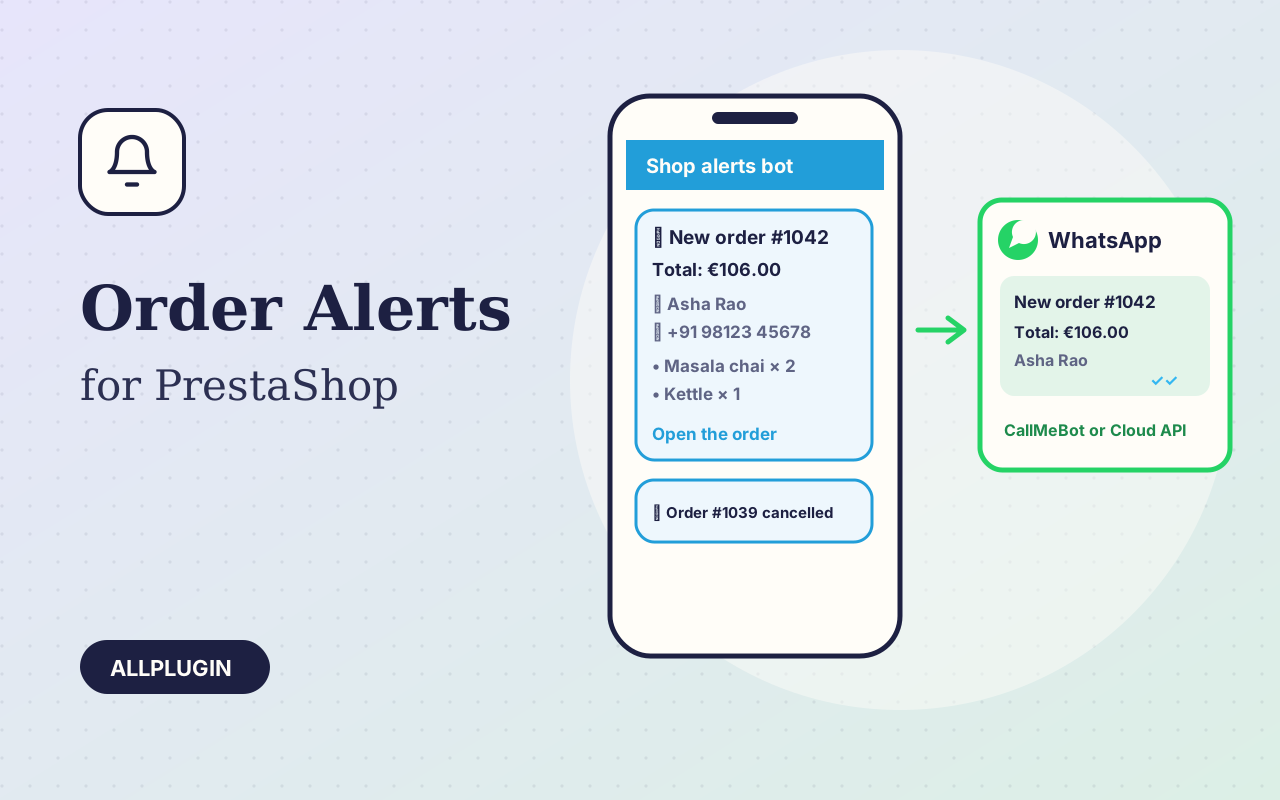
Order Alerts for Telegram & WhatsApp sends every new PrestaShop order to your phone, and the status changes you choose. The alert shows the order number, total, customer, address, shipping and payment method, the products and a link to the order, so you can act without opening the admin.
Telegram
Create a bot with @BotFather, paste its token, send /start to the bot and save: the chat ID is found for you. Send to any number of private chats, groups (the whole team) or channels, silently if you like.
WhatsApp, two ways
CallMeBot is free and sends to your own WhatsApp number: write one message to the CallMeBot number, receive your key, paste it next to your number. WhatsApp Cloud API (Meta) sends from your business number; add an approved template name and the alert is delivered at any time, as a one-line summary in the template.
When alerts go out
A new order is announced once when it is validated (whatever payment module made it); status changes from the back office are reported for the statuses you tick, Canceled and Refund by default. Multistore: each shop keeps its own settings.
Set up in minutes
Upload the zip in Module Manager and press Configure. Tick "Send a test message" and save: every chat and number gets a test, and if Telegram or WhatsApp refuses, you see their own error on the settings page.
Never in the way
Short timeouts, one dead chat never stops the others, and a slow or blocked service never breaks an order. Errors are written to Advanced Parameters, Logs.
Good to know
You need your own Telegram bot, CallMeBot key or WhatsApp Business app; nothing is sent through AllPlugin. AllPlugin is not affiliated with Telegram, WhatsApp, Meta or CallMeBot.